Albedolizer-Blender
A downloadable tool
What it does
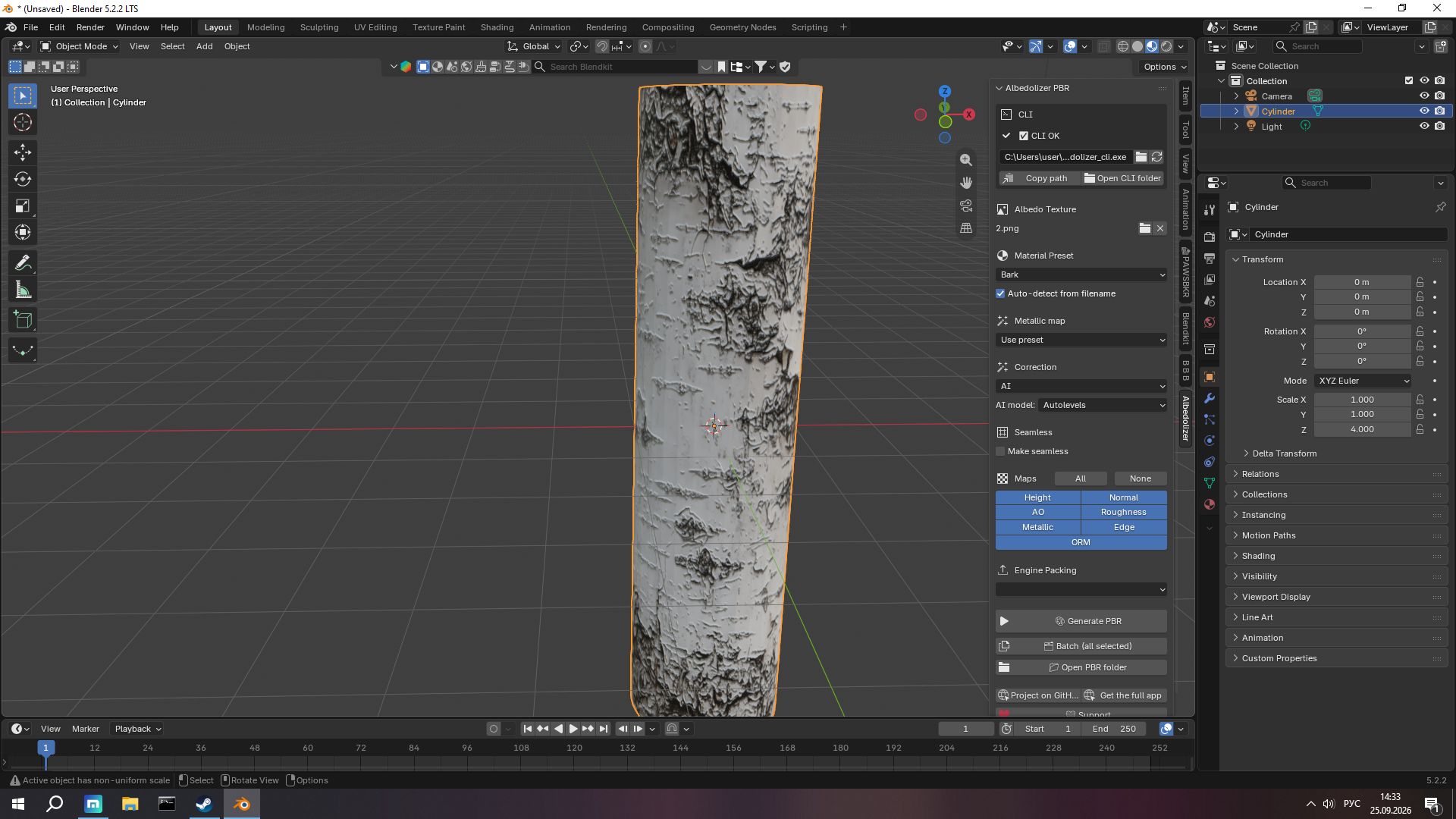
- 7 PBR maps from a single Albedo texture: Height, Normal, AO, Roughness, Metallic, Edge, ORM
- AI color correction — Autolevels or LUTwithBGrid
- Math fallback — CLAHE + soft-clip (no AI required)
- 50 material presets — metal, brick, wood, concrete, fabric, fauna, and more
- Auto-detect preset from filename —
brick_wall.png→ presetbrick - Seamless generation — GIMP tile-seamless algorithm with optional hi-pass
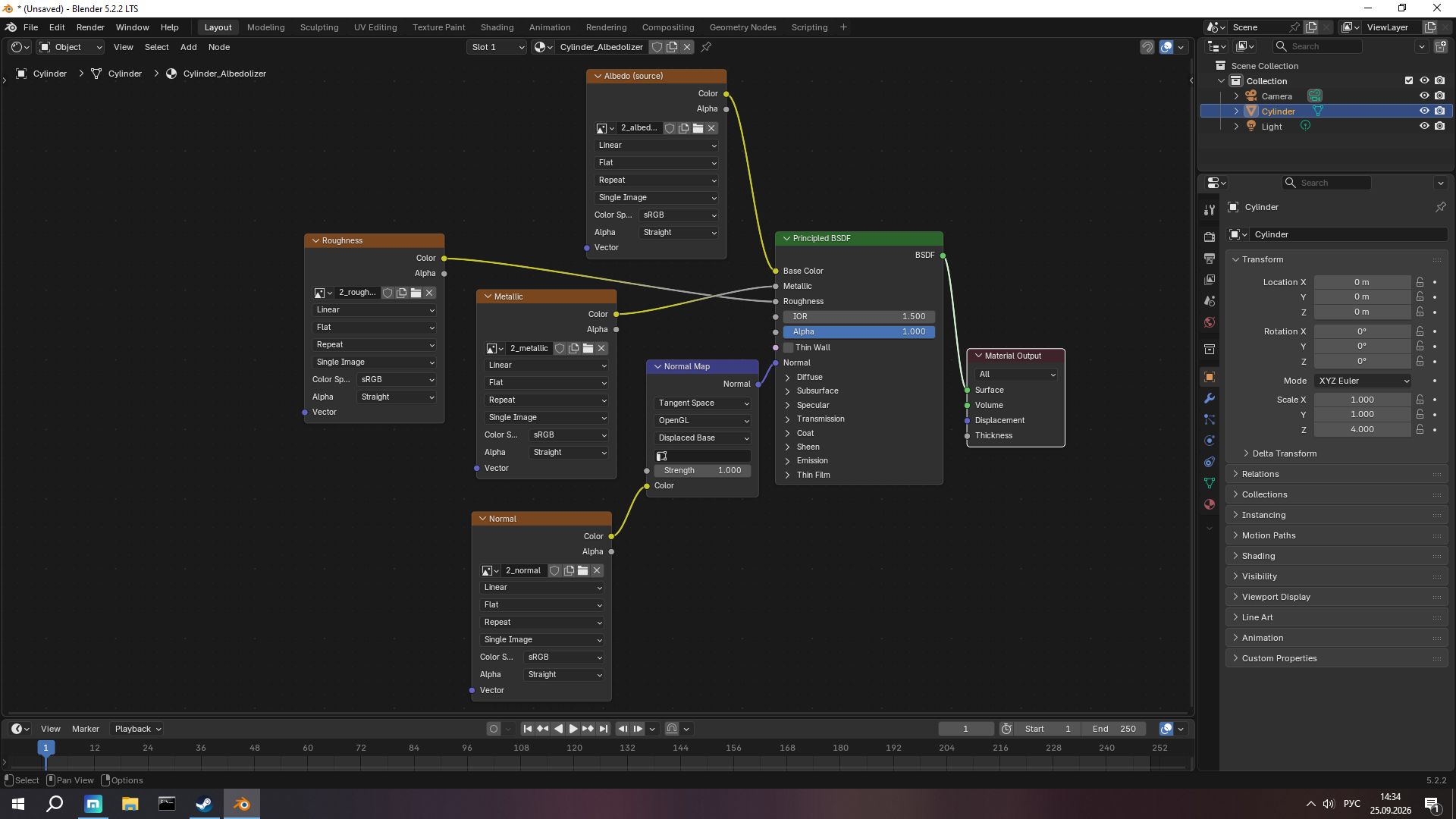
- Auto-wired nodes — maps connect to Principled BSDF automatically
- Batch mode — generate for all selected objects at once
- Engine packing — Unity HDRP, Unity URP, Unreal, Godot
- Modal progress bar — Blender stays responsive
- RU / EN interface
- Works offline — CLI is bundled inside the add-on
Installation
- Blender 4.2 LTS or newer (tested on 5.2 LTS)
Edit → Preferences → Get Extensions → Install from Disk- Pick
Albedolizer-Blender_v1.0.0_full.zip - Enable Albedolizer-Blender
- Done — the CLI is bundled and the path is set automatically.
Usage
- Open the N-Panel in the 3D Viewport (press
N) - Go to the Albedolizer tab
- Pick your Albedo texture
- Choose preset, correction mode, maps
- Hit Generate PBR
The maps are saved to a _pbr subfolder next to your texture, and wired into the active material.
Requirements
- Blender 4.2 LTS or newer
- Windows 10/11 (64-bit)
- No Python, no pip, no external dependencies — everything is bundled
About Albedolizer
Full desktop app — free, MIT, with 3D preview, batch processing, texture compression, and GUI:
License
Add-on code: GPL-3.0-or-later
Bundled CLI binaries: proprietary.
Support & Feedback
Found a bug? Have an idea? Open an issue on GitHub.
Download
Click download now to get access to the following files:
Leave a comment
Log in with itch.io to leave a comment.